# My touchbar. My rules. [](https://github.com/Toxblh/MTMR/releases) [](https://github.com/Toxblh/MTMR/blob/master/LICENSE) 
 _The TouchBar Customization App for your MacBook Pro_
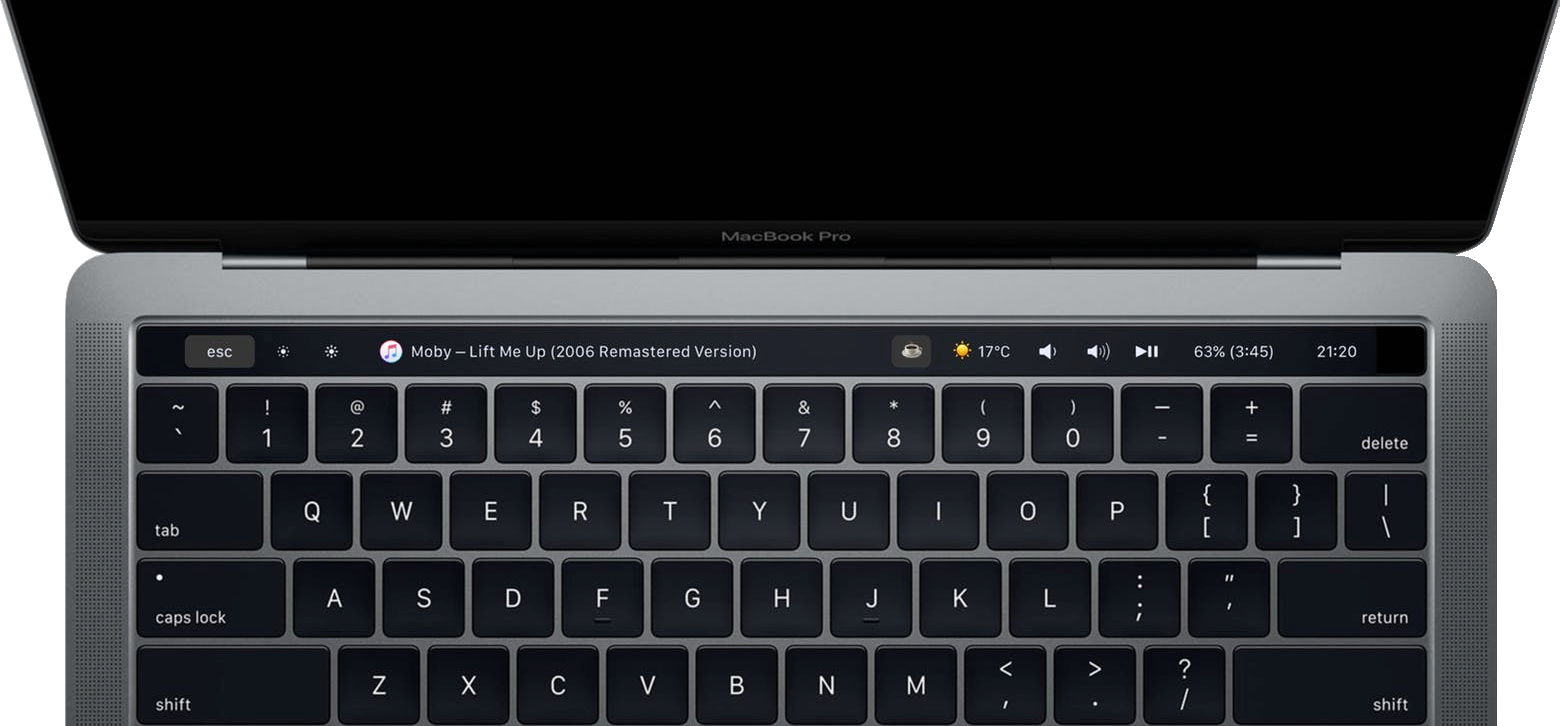
My idea is to create a platform for creating plugins to customize the TouchBar. I very much like BTT and having a full custom TouchBar (my BTT preset), and I wanted to create it. It's my first Swift project for MacOS :)
**Share your presets [here](https://github.com/Toxblh/MTMR-presets)**
_The TouchBar Customization App for your MacBook Pro_
My idea is to create a platform for creating plugins to customize the TouchBar. I very much like BTT and having a full custom TouchBar (my BTT preset), and I wanted to create it. It's my first Swift project for MacOS :)
**Share your presets [here](https://github.com/Toxblh/MTMR-presets)**
 Discord
 Telegram




## Installation
- Download lastest [release](https://github.com/Toxblh/MTMR/releases) (.dmg) from github
- Or via Homebrew `brew cask install mtmr`
- [Dario Prski](https://medium.com/@urdigitalpulse) has written a [fantastic article on medium](https://medium.com/@urdigitalpulse/customise-your-macbook-pro-touch-bar-966998e606b5) that goes into more detail on installing MTMR
**On first install** you need to allow access for MTMR in Accessibility otherwise buttons like Esc, Volume, Brightness and other system keys won't work

🍏→ System Preferences → Security and Privacy → tab Privacy → Accessibility → MTMR
## Examples
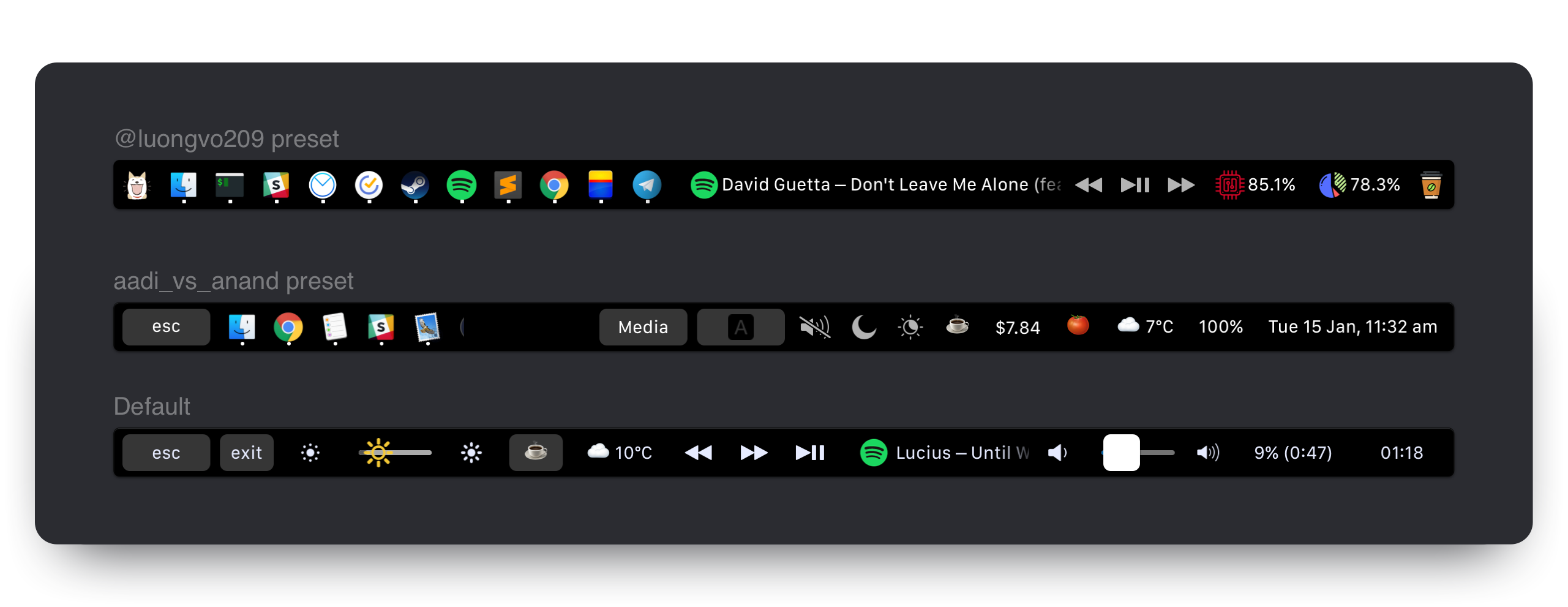
- [@Toxblh preset](Resources/toxblh.json)
- [@ReDetection preset](Resources/ReDetection.json)
- [@luongvo209 preset](Resources/luongvo209.json)
- [aadi_vs_anand preset](Resources/aadi_vs_anand.json)
## Customization
MTMR preferences are stored under `~/Library/Application\ Support/MTMR/items.json`.
The pre-installed configuration contains less or more than you'll probably want, try to configure:
## Built-in button types:
> Buttons
- escape
- exitTouchbar
- brightnessUp
- brightnessDown
- illuminationUp (keyboard illumination)
- illuminationDown (keyboard illumination)
- volumeDown
- volumeUp
- mute
> Native Plugins
- battery
- currency
- weather
- inputsource
- music (tap for pause, longTap for next)
- dock (half-long click to open app, full-long click to kill app)
- nightShift
- dnd (Don't disturb)
- darkMode
- pomodoro
- network
> Media Keys
- previous
- play
- next
> AppleScript plugins
- sleep
- displaySleep
## Gestures on central part:
- two finger slide: change you Volume
- three finger slide: change you Brightness
## Built-in slider types:
- brightness
- volume
### You can also make custom buttons using these types
- `staticButton`
```json
"type": "staticButton",
"title": "esc",
```
- `appleScriptTitledButton`
```js
"type": "appleScriptTitledButton",
"refreshInterval": 60, //optional
"source": {
"filePath": "/Users/toxblh/Library/Application Support/MTMR/iTunes.nowPlaying.scpt",
// or
"inline": "tell application \"Finder\"\rmake new Finder window\rset target of front window to path to home folder as string\ractivate\rend tell",
// or
"base64": "StringInbase64"
},
```
- `timeButton`
```js
"type": "timeButton",
"formatTemplate": "HH:mm" //optional
```
## Groups
```js
{
"type": "group",
"align": "center",
"bordered": true,
"title": "stats",
"items": [
{ "type": "play" }, { "type": "mute" }, ...]
}
```
To close a group, use the button:
```
{
"type": "close",
"width": 64
},
```
## Native plugins
#### `timeButton`
> Attention! Works not all: https://en.wikipedia.org/wiki/List_of_time_zone_abbreviations
```js
{
"type": "timeButton",
"formatTemplate": "dd HH:mm",
"timeZone": "UTC"
}
```
#### `weather`
> Provider: https://openweathermap.org \
> Note: you need to register on https://openweathermap.org to get your API key \
> Note: you may need to wait for near 20 mins until your API key will be activated by Openweathermap \
> Note: you need to allow using "Location Services" in your Mac OS "Security & Privacy" settings for MTMR
```js
"type": "weather",
"refreshInterval": 600, // in seconds
"units": "metric", // or imperial
"icon_type": "text" // or images
"api_key": "" // you can get the key on openweather
```
#### `currency`
> Provider: https://coinbase.com
```js
"type": "currency",
"refreshInterval": 600, // in seconds
"align": "right",
"from": "BTC",
"to": "USD",
"full": true // £‣1.29$
```
#### `music`
```js
{
"type": "music",
"align": "center",
"width": 80,
"bordered": false,
"refreshInterval": 2, // in seconds
},
```
#### `pomodoro`
> Pomodoro plugin. One click to start the work timer, longclick to start the rest timer. Click in progress for reset.
```js
{
"type": "pomodoro",
"workTime": 1200, // set time work in seconds. Default 1500 (25 min)
"restTime": 600 // set time rest in seconds. Default 300 (5 min)
},
```
#### `network`
> Network plugin. The plugin to show usage a network
```js
{
"type": "network",
"flip": true
},
```
#### `dock`
> Dock plugin
```js
{
"type": "dock",
"autoResize": true
},
```
## Actions:
- `hidKey`
> https://github.com/aosm/IOHIDFamily/blob/master/IOHIDSystem/IOKit/hidsystem/ev_keymap.h use only numbers
```json
"action": "hidKey",
"keycode": 53,
```
- `keyPress`
```json
"action": "keyPress",
"keycode": 1,
```
- `appleScript`
```js
"action": "appleScript",
"actionAppleScript": {
"inline": "tell application \"Finder\"\rmake new Finder window\rset target of front window to path to home folder as string\ractivate\rend tell"
// "filePath" or "base64" will work as well
},
```
- `shellScript`
```js
"action": "shellScript",
"executablePath": "/usr/bin/pmset",
"shellArguments": ["sleepnow"], // optional
```
- `openUrl`
```js
"action": "openUrl",
"url": "https://google.com",
```
## LongActions
If you want to longPress for some operations, it is similar to the configuration for Actions but with additional parameters, for example:
```js
"longAction": "hidKey",
"longKeycode": 53,
```
- longAction
- longKeycode
- longActionAppleScript
- longExecutablePath
- longShellArguments
- longUrl
## Additional parameters:
- `width` restrict how much room a particular button will take
```json
"width": 34
```
- `align` can stick the item to the side. default is center
```js
"align": "left" // "left", "right" or "center"
```
- `bordered` you can do button without border
```js
"bordered": "false" // "true" or "false"
```
### Roadmap
- [x] Create the first prototype with TouchBar in Storyboard
- [x] Put in stripe menu on startup the application
- [x] Find how to simulate real buttons like brightness, volume, night shift and etc.
- [x] Time in touchbar!
- [x] First the weather plugin
- [x] Find how to open full-screen TouchBar without the cross and stripe menu
- [x] Find how to add haptic feedback
- [x] Add icon and menu in StatusBar
- [x] Hide from Dock
- [x] Status menu: "preferences", "quit"
- [x] JSON or another approch for save preset, maybe in `~/Library/Application Support/MTMR/`
- [x] Custom buttons size, actions by click
- [x] Layout: [always left, NSSliderView for center, always right]
- [x] System for autoupdate (https://sparkle-project.org/)
- [ ] Overwrite default values from item types (e.g. title for brightness)
- [ ] Custom settings for paddings and margins for buttons
- [ ] XPC Service for scripts
- [ ] UI for settings
- [ ] Import config from BTT
Settings:
- [ ] Interface for plugins and export like presets
- [x] Startup at login
- [ ] Show on/off in Dock
- [ ] Show on/off in StatusBar
- [ ] On/off Haptic Feedback
Maybe:
- [ ] Refactoring the application into packages (AppleScript, JavaScript? and Swift?)
## Credits
Built by [@Toxblh](https://patreon.com/toxblh) and [@ReDetection](http://patreon.com/ReDetection).
[](https://github.com/igrigorik/ga-beacon)